Unity 패키지 Cinemachine
https://unity.com/kr/unity/features/editor/art-and-design/cinemachine
시네머신
Unity의 시네머신으로 복잡한 카메라의 움직임을 만드는 방법을 알아보세요. 타겟 트래킹, 구성, 블렌딩 및 자르기까지 쉽고 직관적으로 작업할 수 있습니다.
unity.com
설치방법
패키지 메니저 > 유니티 레지스트리 > Cinemachine 검색 > 설치

사용법 (Follow Cam 만들기)
Brain Camera : 게임월드를 촬영하는 진짜 카메라 이며 씬에 하나만 존재 한다
Virtual Camera : 브레인 카메라의 분신 역할, 여러개 존재 할 수 있다
브레인 카메라는 여러 가상 카메라중 하나를 골라 현재 활성화 된 카메라로 사용한다
메인카메라에 CinemachineBrain 컴포넌트 추가
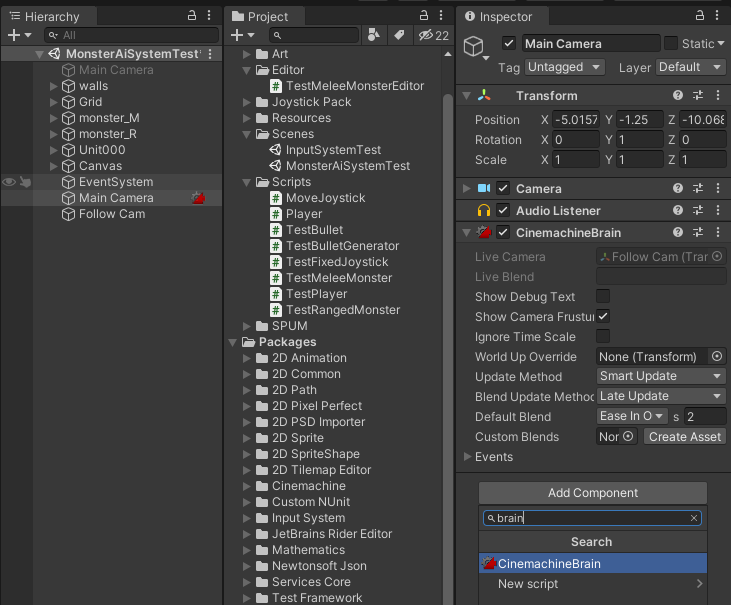
탭 메뉴의 Cinemachine > Create Virtual Camera 추가

Follow Cam으로 이름 변경

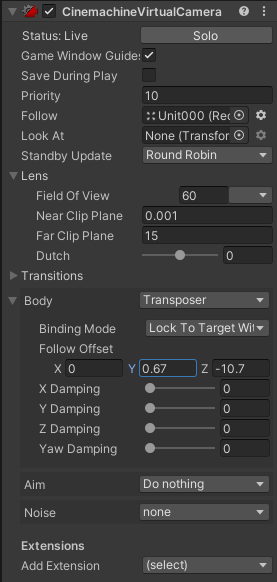
Follow Cam의 Inspector

Follow Cam에서 사용할 속성 몇가지를 살펴보자

카메라가 따라다닐 대상이다

카메라가 바라볼 대상
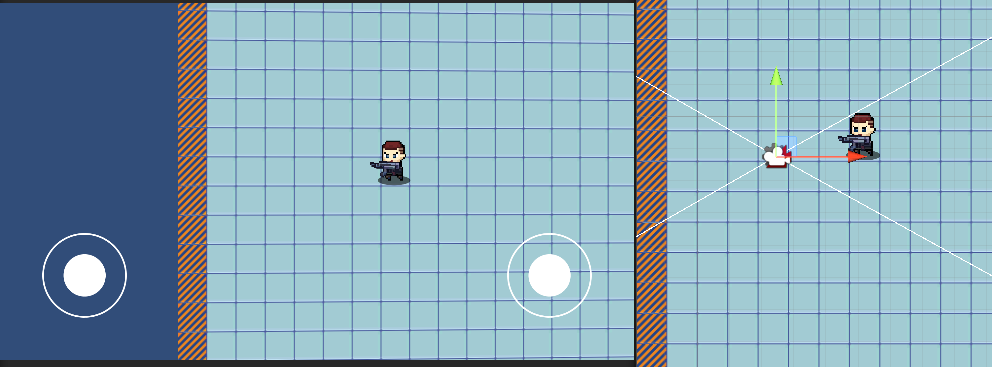
None으로 할 경우 카메라는 처음에 설정해둔 방향을 바라본다
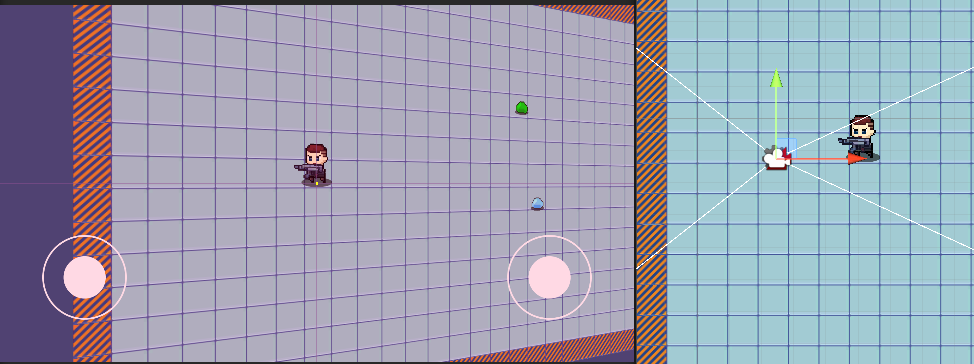
대상을 지정하면 카메라가 설정해둔 위치에서 대상을 바라본다
Lens

Field Of View(FOV) : 시야각
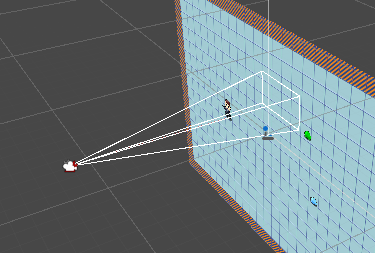
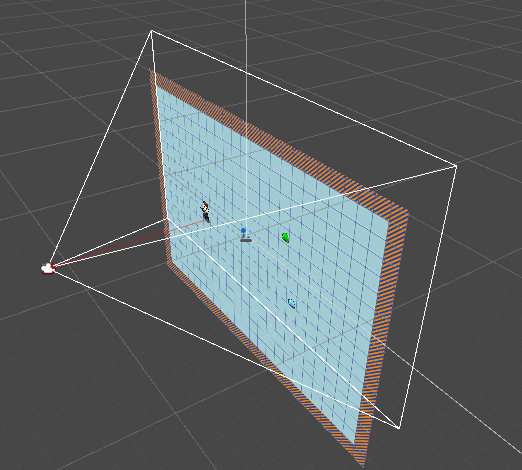
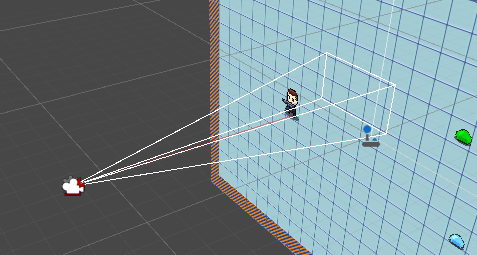
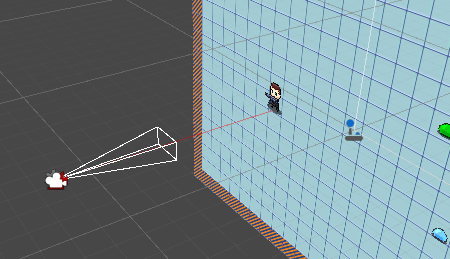
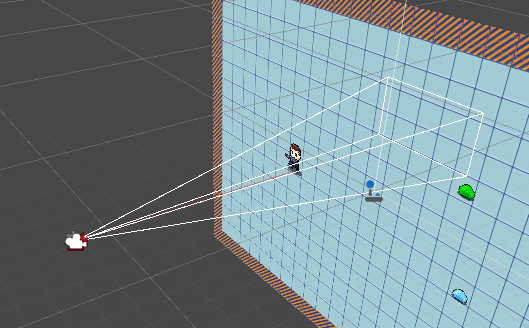
Clip Plane : 카메라가 비추는 화면의 시작과 끝
Near : 시작점
Far : 끝점

Body & Aim
Body : Follow에 관한 설정
Aim : Look At에 관한 설정
Body
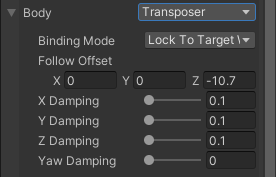
Follow Offset : Follow에 설정해둔 Transfrom에서의 상대적 거리
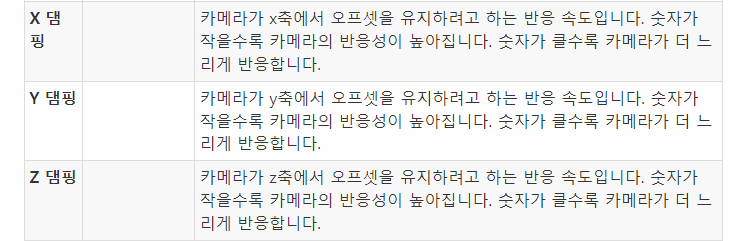
Damping : 제동
Follow가 움직일경우 카메라가 Follow를 따라가며 멈추는 부분을 제어한다
0에 가까울 수록 카메라가 제동거리가 없이 Follow을 따라다닌다
이전값과 이후값을 부드럽게 이어주는 비율
이 값이 커지면 급격한 변화는 줄어 들지만 위치가 신속하게 변경되지 않고 지연시간이 늘어난다
- Damping있더라도 Soft Zone이 0이면 동작하지 않는다
| The Body properties offer the following procedural algorithms for moving the Virtual Camera in a Scene: Transposer: Move in a fixed relationship to the Follow target, with optional damping. Do Nothing: Do not move the Virtual Camera. Framing Transposer: Move in a fixed screen-space relationship to the Follow target, with optional damping. Orbital Transposer: Move in a variable relationship to the Follow target, optionally accepting player input. Tracked Dolly: Move along a predefined path. Hard Lock to Target: Use the same position at the Follow target. --------------------------------------------------------------------------------------------------------------------------------------- Transposer: 선택적인 댐핑으로 Follow 타겟에 대해 고정된 관계로 이동합니다. Do Nothing: 가상 카메라를 이동하지 마십시오. Framing Transposer: 선택적 댐핑을 사용하여 Follow 타겟에 대해 고정된 화면 공간 관계로 이동합니다. Orbital Transposer: 선택적으로 플레이어 입력을 수락하여 추적 대상에 대해 가변적인 관계로 이동합니다. Tracked Dolly: 미리 정의된 경로를 따라 이동합니다. Hard Lock to Target: 팔로우 타겟에서 같은 위치를 사용합니다. |
https://docs.unity3d.com/Packages/com.unity.cinemachine@2.3/manual/CinemachineOverview.html
https://docs.unity3d.com/Packages/com.unity.cinemachine@2.3/manual/CinemachineBodyTransposer.html
Aim
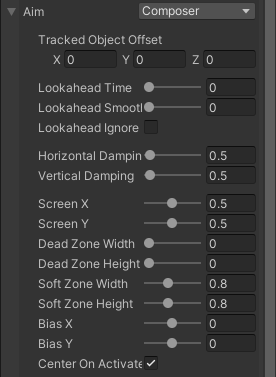

| The Aim properties offer the following procedural algorithms for rotating a Virtual Camera to face the Look At target: Composer: Keep the Look At target in the camera frame, with compositional constraints. Group Composer: Keep multiple Look At targets in the camera frame. Do Nothing: Do not rotate the Virtual Camera. POV: Rotate the Virtual Camera based on the user’s input. Same As Follow Target: Set the camera’s rotation to the rotation of the Follow target. Hard Look At: Keep the Look At target in the center of the camera frame. --------------------------------------------------------------------------------------------------------------------------------------- Composer: 구성 제약 조건을 사용하여 카메라 프레임에 Look At 대상을 유지합니다. Group Composer: 카메라 프레임에 여러 Look At 대상을 유지합니다. Do Nothing: 가상 카메라를 회전하지 않습니다. POV: 사용자 입력에 따라 가상 카메라를 회전합니다. Same As Follow Target: 카메라의 회전을 Follow 타겟의 회전으로 설정합니다. Hard Look At: Look At 대상을 카메라 프레임 중앙에 유지합니다. |
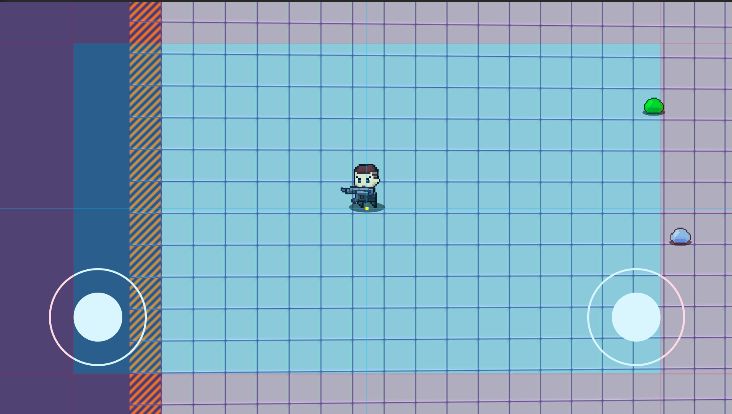
카메라가 주시하는 물체가 화면의 데드존에 있는동안 카메라는 회전하지 않는다
주시하는 물체가 화면의 소프트존에 있다면 물체가 화면의 조준점(Aim)에 오도록 카메라가 부드럽게 회전한다
카메라가 주시하는 물체는 화면의 소프트존을 벗어나지 않는다
데드존과 소프트존의 크기를 줄이면 물체가 조금이라도 화면 중앙을 벗어나려 할때 지연 시간 없이 카메라가 즉시 물체를 향해 회전하게 된다
데드존과 소프트존의 크기를 늘리면 물체를 쫒는 화면의 움직임이 느리게 느껴질수 있다

Look At에 설정해둔 Transfrom에서의 상대적 거리
- 추적 대상에서 얼마나 더 떨어진 곳을 조준할지 결정

회전 속도에 대한 제동값
- 0에 가까울 수록 제동이 없다
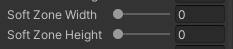
소프트존 삭제
'Unity > 게임 엔진 응용 프로그래밍' 카테고리의 다른 글
| [Unity 3D] AppleCatch : 씬전환, 싱글턴 패턴 (0) | 2021.10.26 |
|---|---|
| [Unity] 데이터 테이블 로드하기 (0) | 2021.10.22 |
| [Unity 3D] MiniRPG : 랜덤한 위치에 몬스터 생성 (0) | 2021.10.22 |
| [Unity 3D] MiniRPG : 몬스터와 전투 (0) | 2021.10.20 |
| [Unity 3D] MiniRPG : 캐릭터 공격 애니메이션 (0) | 2021.10.19 |