1. 새프로젝트 -> 2D 템플릿
2. 프로젝트에 Textures 폴더를 만들고 리소스 추가
3. File -> Build Settings -> Android
4. 화면크기 설정
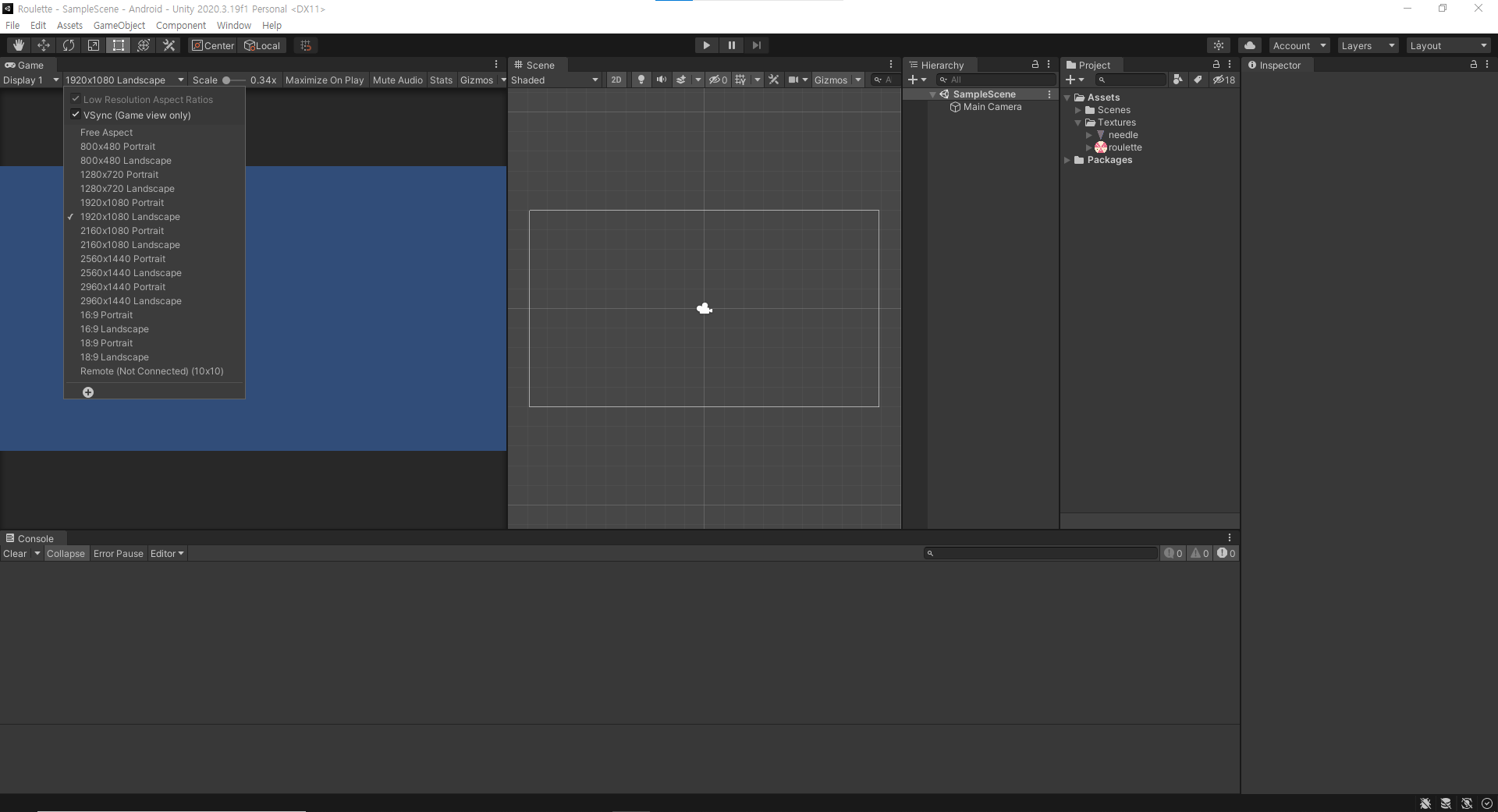
5. Hierarchy에 리소스(룰렛, 바늘) 넣고 위치 조절
6. 카메라 오브젝트 매개변수를 바꿔서 배경색 변경 가능
7. 프로젝트에 Scripts 폴더를 만들고 룰렛에 적용할 컨트롤러 스크립트 추가
클릭 하면 룰렛이 회전하는 스크립트
using System.Collections;
using System.Collections.Generic;
using UnityEngine;

public class RouletteController : MonoBehaviour
{
    float rotSpeed = 0;
    float elapsedTime;

    // Start is called before the first frame update
    void Start()
    {

    }

    // Update is called once per frame
    void Update()
    {
        //마우스 왼쪽 버튼을 누르면 click을 출력한다
        if (Input.GetMouseButtonDown(0))
        {
            Debug.Log("click!");
            this.rotSpeed = 10;
        }
        //마우스 왼쪽 버튼을 누르는 동안 : GetMouseButton
        if (Input.GetMouseButton(0))
        {
            Debug.Log("Press!!!");
        }

        //마우스 왼쪽 버튼을 눌렀다가 뗀 순간 : GetMouseButtonUp
        if (Input.GetMouseButtonUp(0))
        {
            Debug.Log("Up!");
        }


        this.transform.Rotate(0, 0, this.rotSpeed);
    }
}
룰렛에 스크립트 붙여넣기
실행영상
누르는 시간 출력하기
using System.Collections;
using System.Collections.Generic;
using UnityEngine;

public class RouletteController : MonoBehaviour
{
    float rotSpeed = 0;
    float elapsedTime;
    bool isDown = true;

    // Start is called before the first frame update
    void Start()
    {

    }

    // Update is called once per frame
    void Update()
    {
        //마우스 왼쪽 버튼을 누르면 click을 출력한다
        if (Input.GetMouseButtonDown(0))
        {
            Debug.Log("click!");
            this.rotSpeed = 10;
            //this.isDown = true;
        }
        //마우스 왼쪽 버튼을 누르는 동안 : GetMouseButton
        if (Input.GetMouseButton(0))
        {
            Debug.Log("Press!!!");
            this.elapsedTime += Time.deltaTime; //지난 프레임이 완료되는데 까지 걸린 시간을 누적시킨다
        }

        //if (this.isDown)
        //{
        //    this.elapsedTime += Time.deltaTime;
        //}

        //마우스 왼쪽 버튼을 눌렀다가 뗀 순간 : GetMouseButtonUp
        if (Input.GetMouseButtonUp(0))
        {
            Debug.Log("Up!");
            Debug.LogFormat("경과시간 : {0}", this.elapsedTime);
            //this.elapsedTime = 0; //초기화
            //this.isDown = false;
        }


        this.transform.Rotate(0, 0, this.rotSpeed);
    }
}
Time.deltaTime
https://docs.unity3d.com/kr/530/ScriptReference/Time-deltaTime.html
Unity - 스크립팅 API: Time.deltaTime
사용자의 프레임 률(frame rate)을 독립적으로 적용하기 위해서 사용합니다. 매 프레임마다 어떤 값을 더하거나 빼는 계산을 하는 경우에, Time.deltaTime과 곱해서 사용할 수 있습니다. Time.deltaTime과
docs.unity3d.com
Input.GetMouseButton(0) 인 동안 또는
this.isDown = true인 동안
Time.deltaTime 누적
회전 스크립트를 응용한 발사 스크립팅 연습
using System.Collections;
using System.Collections.Generic;
using UnityEngine;

public class ShootController : MonoBehaviour
{
    float elapsedTime;
    // Start is called before the first frame update
    void Start()
    {

    }

    // Update is called once per frame
    void Update()
    {
        if (Input.GetMouseButtonDown(0))
        {
            Debug.Log("발사");
        }
        if(Input.GetMouseButton(0))
        {
            if(this.elapsedTime < 1.5)
            {
                this.elapsedTime += Time.deltaTime;
            }
            else
            {
                Debug.Log("발사");
                this.elapsedTime = 0;
            }
        }
        else
        {
            this.elapsedTime = 0;
        }
    }
}
감속
using System.Collections;
using System.Collections.Generic;
using UnityEngine;

public class RouletteController : MonoBehaviour
{
    float rotSpeed = 0;
    float elapsedTime;
    //bool isDown = true;

    // Start is called before the first frame update
    void Start()
    {

    }

    // Update is called once per frame
    void Update()
    {
        //마우스 왼쪽 버튼을 누르면 click을 출력한다
        if (Input.GetMouseButtonDown(0))
        {
            Debug.Log("click!");
            this.rotSpeed = 10;
            //this.isDown = true;
        }
        //마우스 왼쪽 버튼을 누르는 동안 : GetMouseButton
        if (Input.GetMouseButton(0))
        {
            Debug.Log("Press!!!");
            this.elapsedTime += Time.deltaTime; //지난 프레임이 완료되는데 까지 걸린 시간을 누적시킨다
        }

        //if (this.isDown)
        //{
        //    this.elapsedTime += Time.deltaTime;
        //}

        //마우스 왼쪽 버튼을 눌렀다가 뗀 순간 : GetMouseButtonUp
        if (Input.GetMouseButtonUp(0))
        {
            Debug.Log("Up!");
            Debug.LogFormat("경과시간 : {0}", this.elapsedTime);
            //this.elapsedTime = 0; //초기화
            //this.isDown = false;
        }

        //회전 속도만큼 룰렛을 회전한다
        this.transform.Rotate(0, 0, this.rotSpeed);


        this.rotSpeed *= 0.96f;

    }
}
'Unity > 게임 엔진 응용 프로그래밍' 카테고리의 다른 글
| Vertical 2D Shooting 02 : 플레이어 이동 (0) | 2021.10.13 |
|---|---|
| Vertical 2D Shooting 01 : 게임기획 (0) | 2021.10.13 |
| Unity : SwipeCar / UI(캔버스 좌표계) (0) | 2021.10.13 |
| Unity : 룰렛 프로젝트 (0) | 2021.10.10 |
| 화살피하기 (0) | 2021.10.06 |